Back to Work Case Study
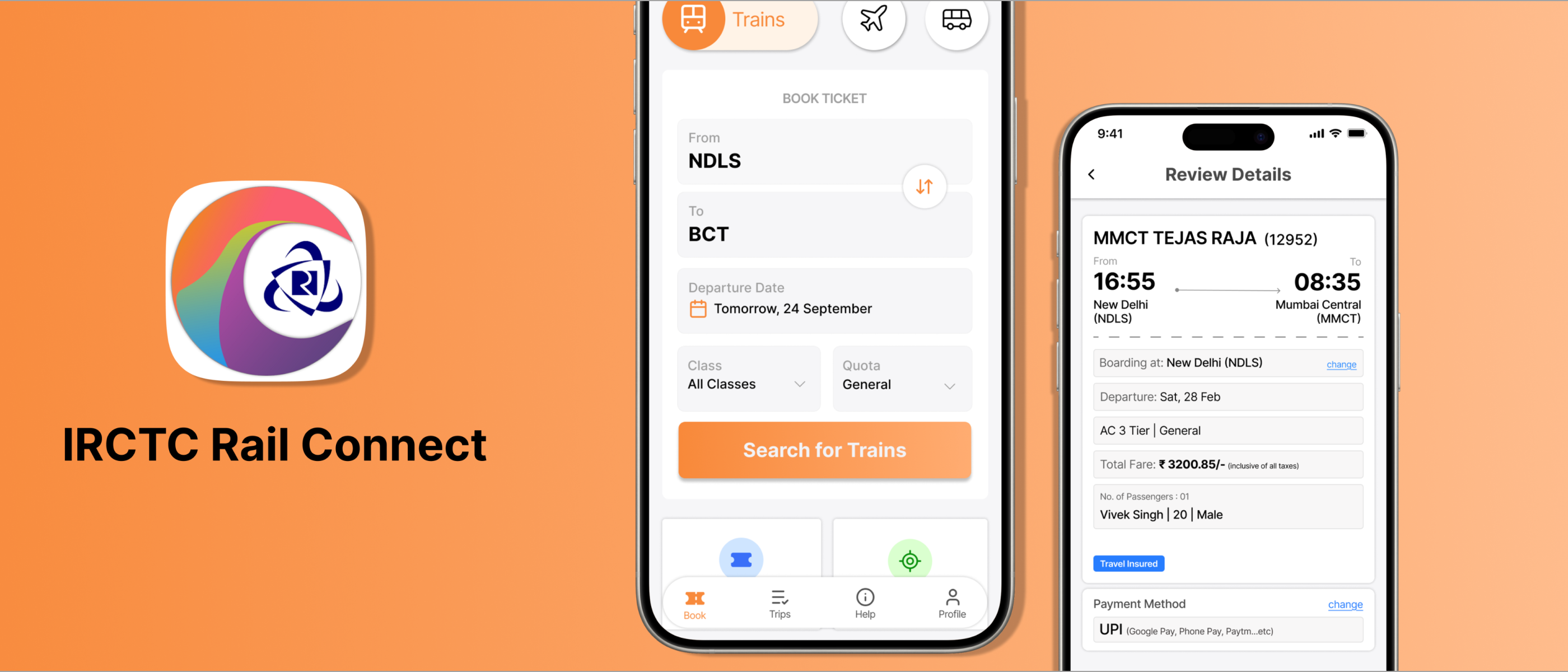
IRCTC Redesign

A UX redesign of India's official train booking app - improving information architecture, booking flow clarity, and reducing payment hesitation.

Role: Solo UX Designer Type: UX/UI Redesign Tools: Figma, Notion Year: 2026
IRCTC Cover
Project Type UX / UI Redesign
Platform Mobile App (Android)
Goal Improve booking flow clarity
Research Secondary - Reddit, Quora, Play Store
The App Everyone Uses But Nobody Enjoys

IRCTC is India's official train booking platform, used by millions - from daily commuters to occasional travelers, largely from middle and lower-middle class backgrounds. While third party apps like Ixigo and Paytm offer alternatives, users consistently return to IRCTC for its trusted pricing and direct booking authority.

They use it not because the experience is good, but because the alternative costs more or feels less reliable.

Defining The Problem

The app treats every element as equally important. Too many options compete for attention on the home screen, form inputs feel demanding and alert-inducing, and by the time users reach payment they are already mentally exhausted.

Drop-offs may be low - users complete the booking - but hesitation is high and confidence is low.

"Users complete the booking but only feel satisfied when they see the correct ticket - the relief reveals how much anxiety came before it."

Research Methods

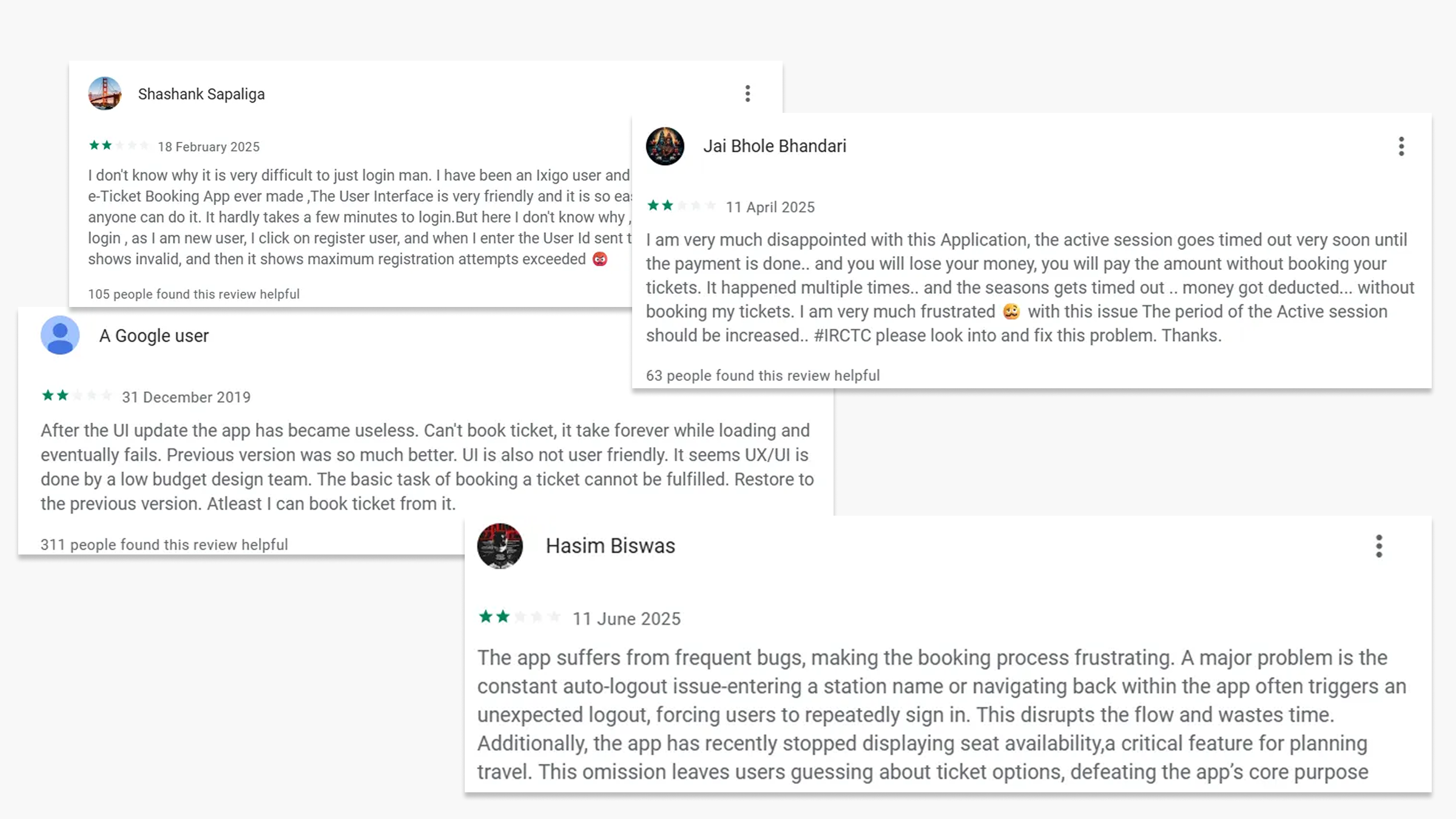
Due to project constraints, I conducted secondary research through analysis of 70+ user reviews across Reddit, Quora, and Google Play Store, and user comments on YouTube tutorial videos demonstrating the ticket booking flow.

User Review Screenshots — Reddit, Quora, Play Store

Key Findings

Information Overload on Home Screen

Too many equally weighted options compete for attention, forcing users to scan everything before starting their primary task of booking a ticket.

Form Input Anxiety

Passenger detail screens present 8+ fields simultaneously with no clear hierarchy, making users feel alert and hesitant to proceed.

Payment Hesitation

Users reach the payment screen mentally exhausted. Drop-offs are low but confidence is also low - users check details two or three times before paying, revealing underlying anxiety about errors.

24hr Format Friction

In a country where 12hr AM/PM is the daily standard, the mandatory 24hr format creates mental conversion effort, especially during time-sensitive Tatkal bookings. A technical bug further forces users to change their entire phone settings for the app to function.

User Persona & Empathy Map

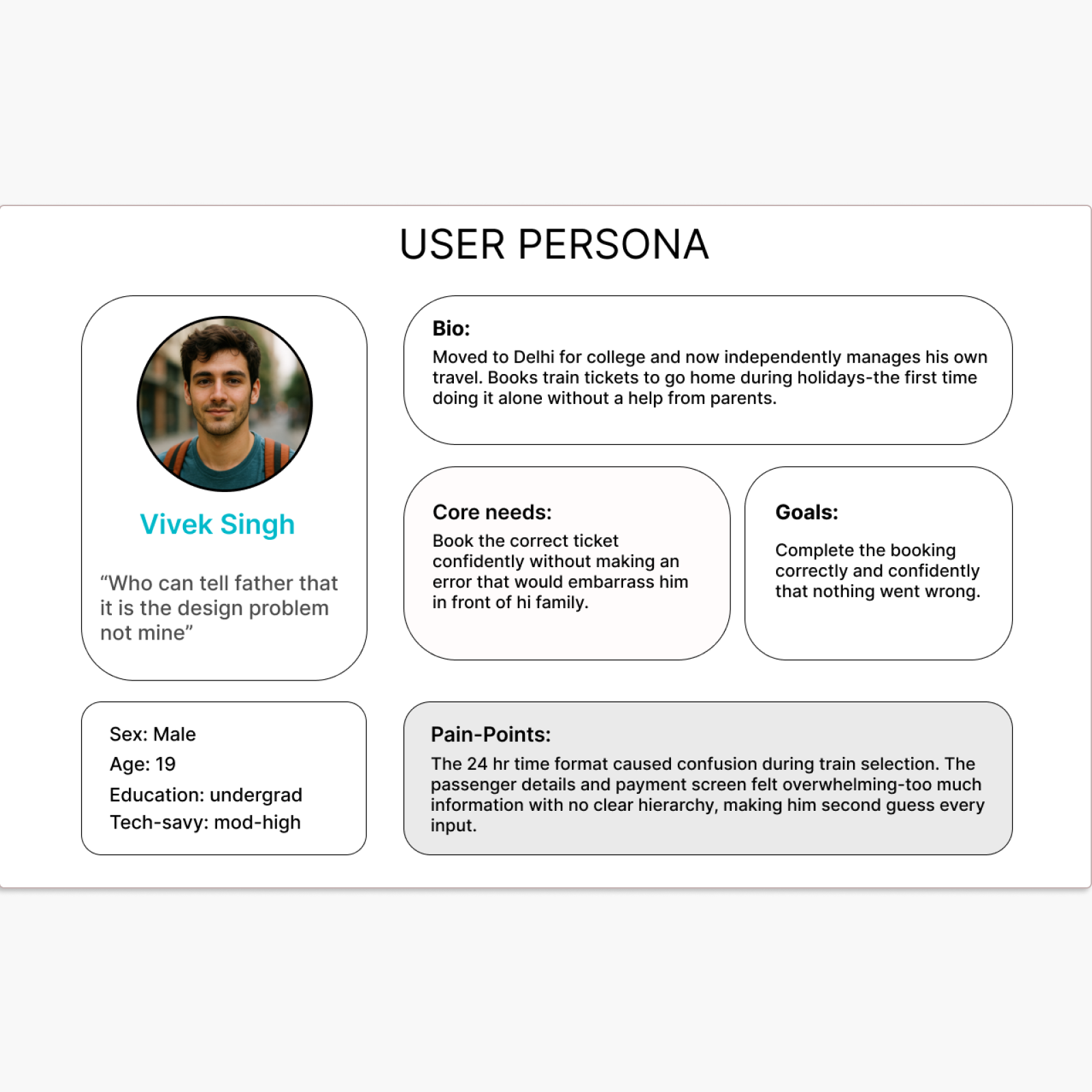
User Persona

User Persona

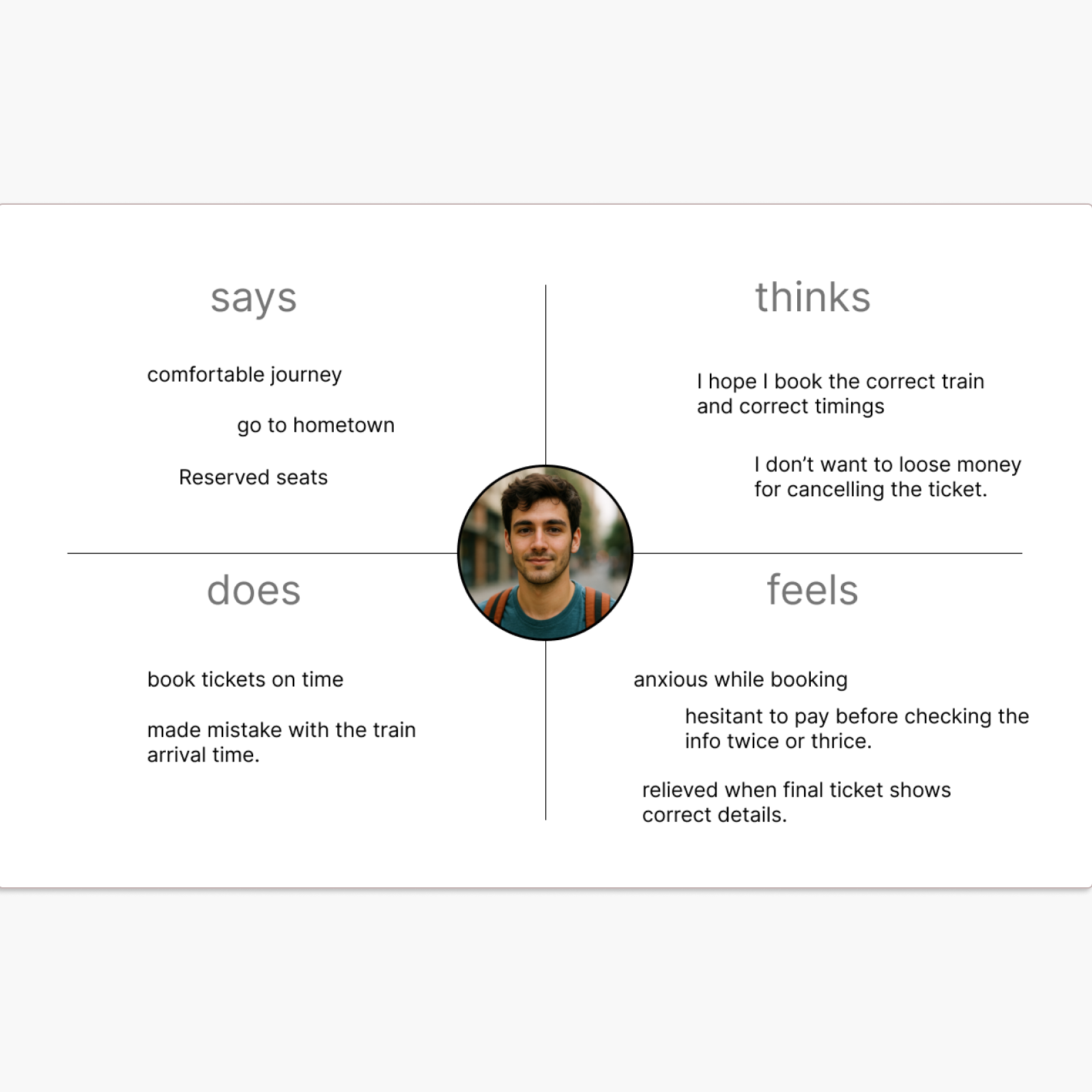
Empathy Map

Empathy Map

Information Architecture Improvements

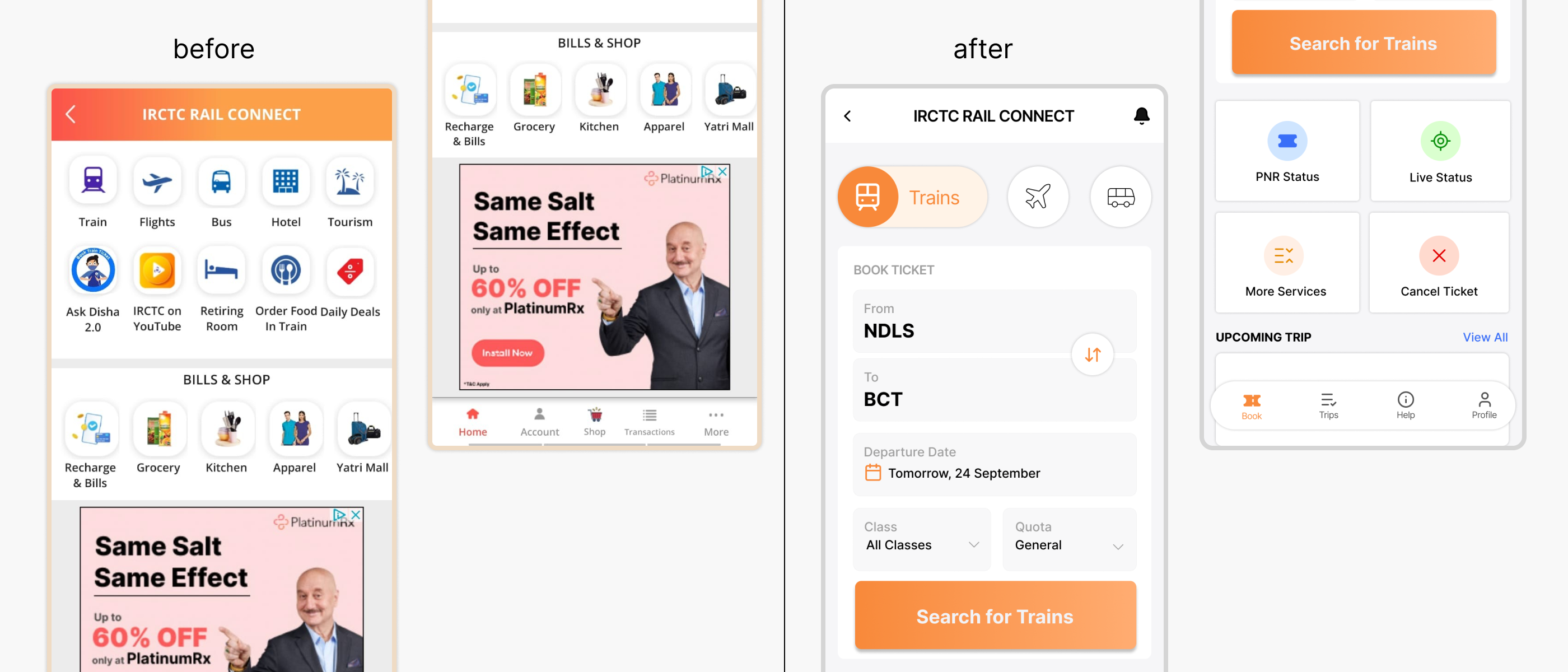
Before & After — Home Screen (IA Comparison)

Before

Multiple unrelated services (travel, shopping, bills) are mixed on the home screen.

No clear primary booking entry point - users must scan too much before starting.

Navigation is not task-based, causing confusion and trial-and-error.

After

Booking is prioritized with a clear form and primary CTA visible above the fold.

Bottom navigation reorganized into task-based sections: Book, Trips, Help, Profile.

Secondary actions (PNR, Live Status, Cancel Ticket) are separated from the booking flow.

Booking Screen Redesign

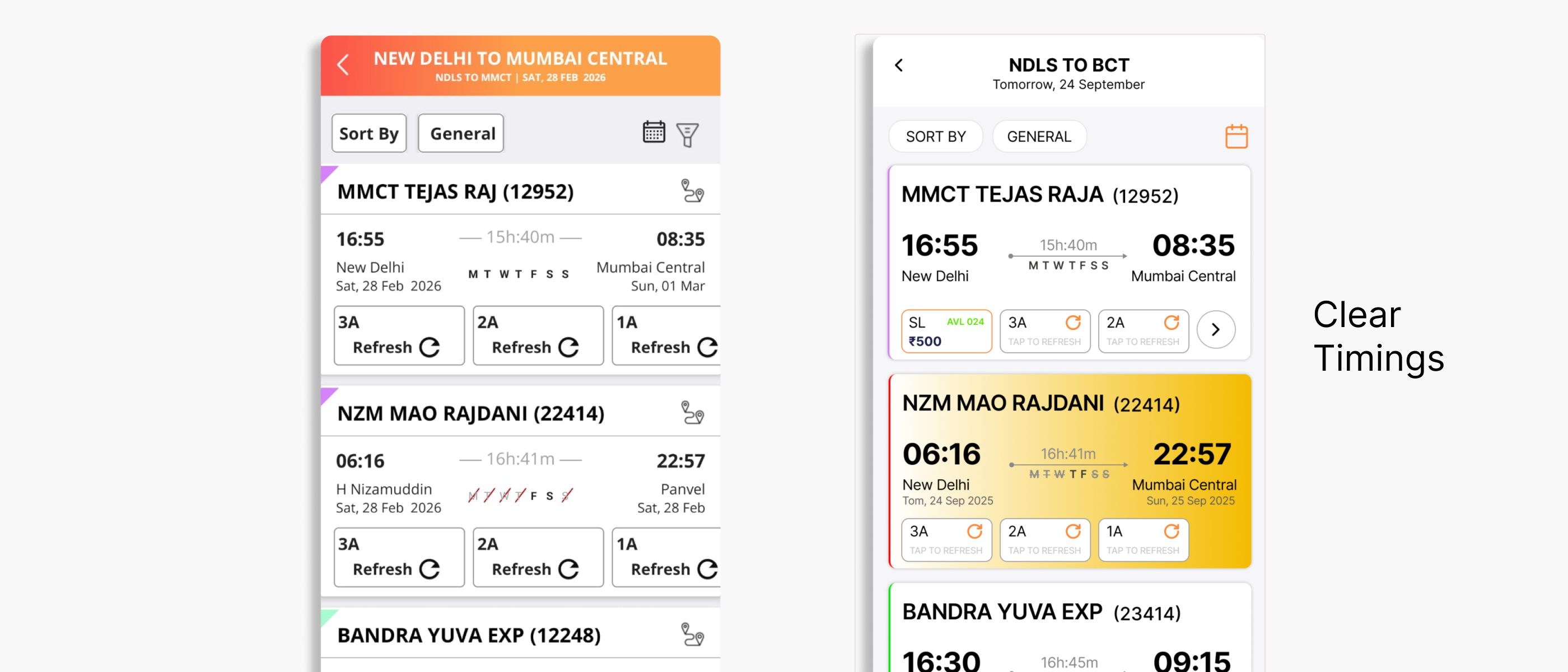
Before & After — Results Screen

Before

Train options are difficult to compare due to cluttered cards and weak visual hierarchy. Key decision-making information competes with repeated elements and unnecessary UI noise.

After

Train options structured into cleaner cards with stronger hierarchy. Departure, arrival, duration and route are easier to scan. Availability and class selection simplified using compact chips.

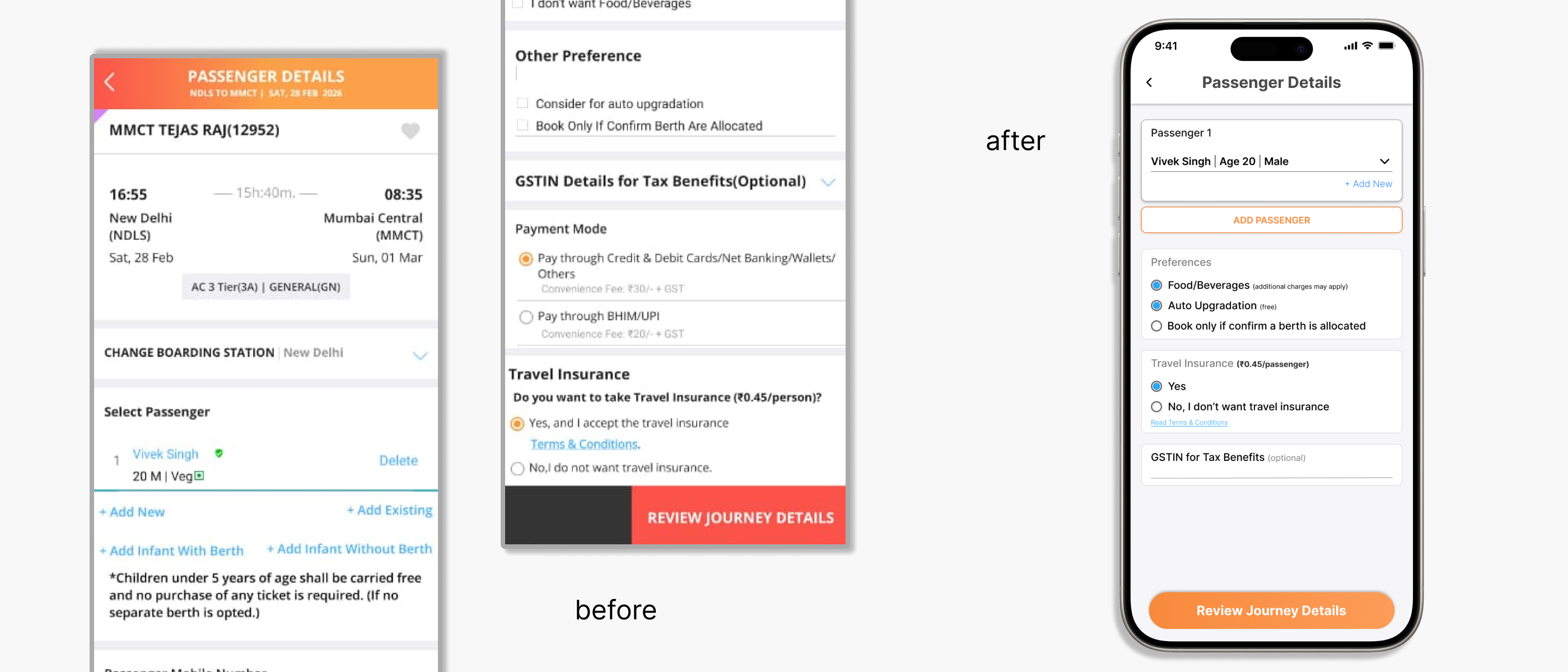
Passenger Details - Before & After

Before & After — Passenger Details

Information Architecture

  • 8+ form fields on a single screen.
  • No distinction between critical and less important information.
  • Journey details and payment shown unnecessarily, increasing cognitive load.

Visual Design

  • Flat visual hierarchy - all info shown as equally important.
  • Inconsistent spacing throughout.
  • Poor CTA detailing.

Improvements

  • Reduced form fields to 4 from 8+.
  • Clear sectioning of form fields.
  • 50% reduction in fields - reduced cognitive load and a strong, clear CTA.
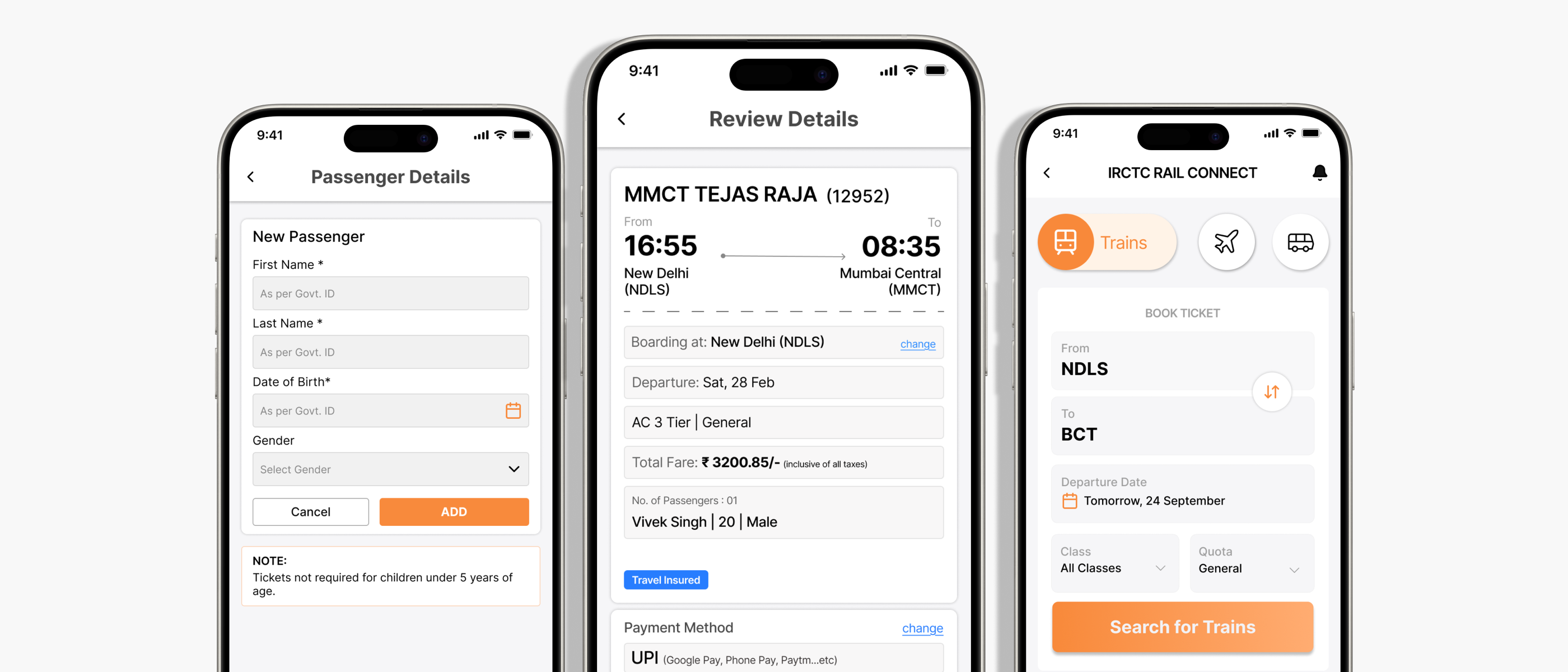
Key Screens — Home, Results, Passenger Details, Review & Pay

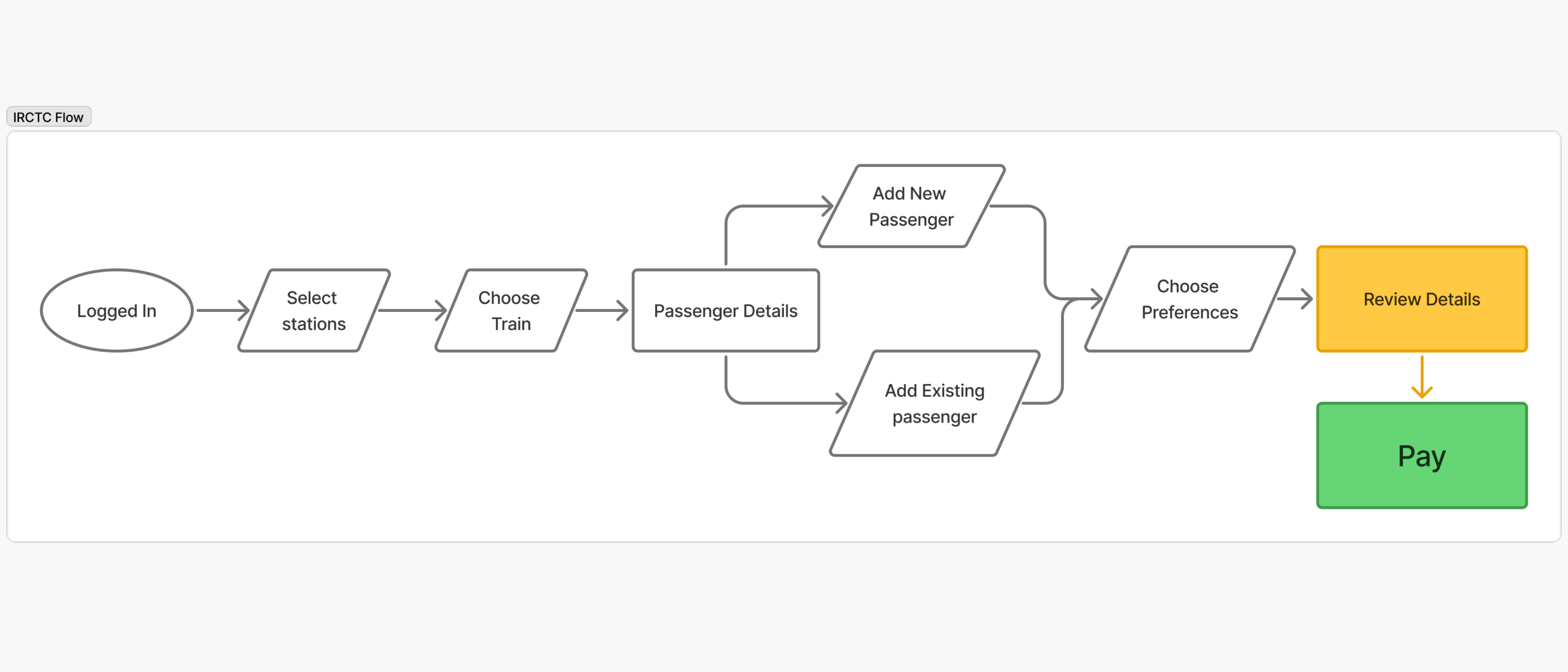
The Redesigned Booking Flow

The redesigned flow covers the most critical screens in the journey - Home, Search, Results, Passenger Details, Review, and Payment.

Booking Flow — Open App to Done

Assumptions, Tests & Changes

What I Assumed

  • Users struggle with the 24hr time format. Research confirmed this - India uses 12hr AM/PM daily, so mental conversion creates real friction especially in Tatkal bookings.
  • Users carefully read every field on the passenger details screen. What I didn't anticipate: the app crashes for phones set to 12hr format, forcing users to change their device settings just to use IRCTC.

What I Would Test

  • Time taken by regular vs infrequent users to select a train - frequent travelers likely already know their train.
  • Time spent on the payment screen before confirming - hesitation time signals anxiety even when drop-offs are low.

What I Would Change

  • Add a simple 12hr/24hr toggle - something Ixigo already offers - to reduce both cognitive and technical friction.
  • Validate if the redesigned review screen actually reduces payment hesitation.
  • Continue improving visual hierarchy on form screens based on real user observation.

Takeaways

This case study focuses on improving the IRCTC booking experience through clearer information architecture, a more structured booking flow, and improved screen hierarchy across key steps. The biggest learning was that high-stakes flows like ticket booking require strong hierarchy and predictable navigation - better structure and UX writing can improve trust even without backend changes. Reducing clutter is often the fastest path to improving usability.

← Back to all projects